Create a Custom Leaderboard for a Specific Metric
Add a custom or niche stat to the leaderboard and sort by it to rank all players by exactly the metric you care about.
Step 1: Navigate to the Players Batting leaderboard
Go to Players > Batting from the top navigation. This shows the league-wide batting leaderboard for the current season.
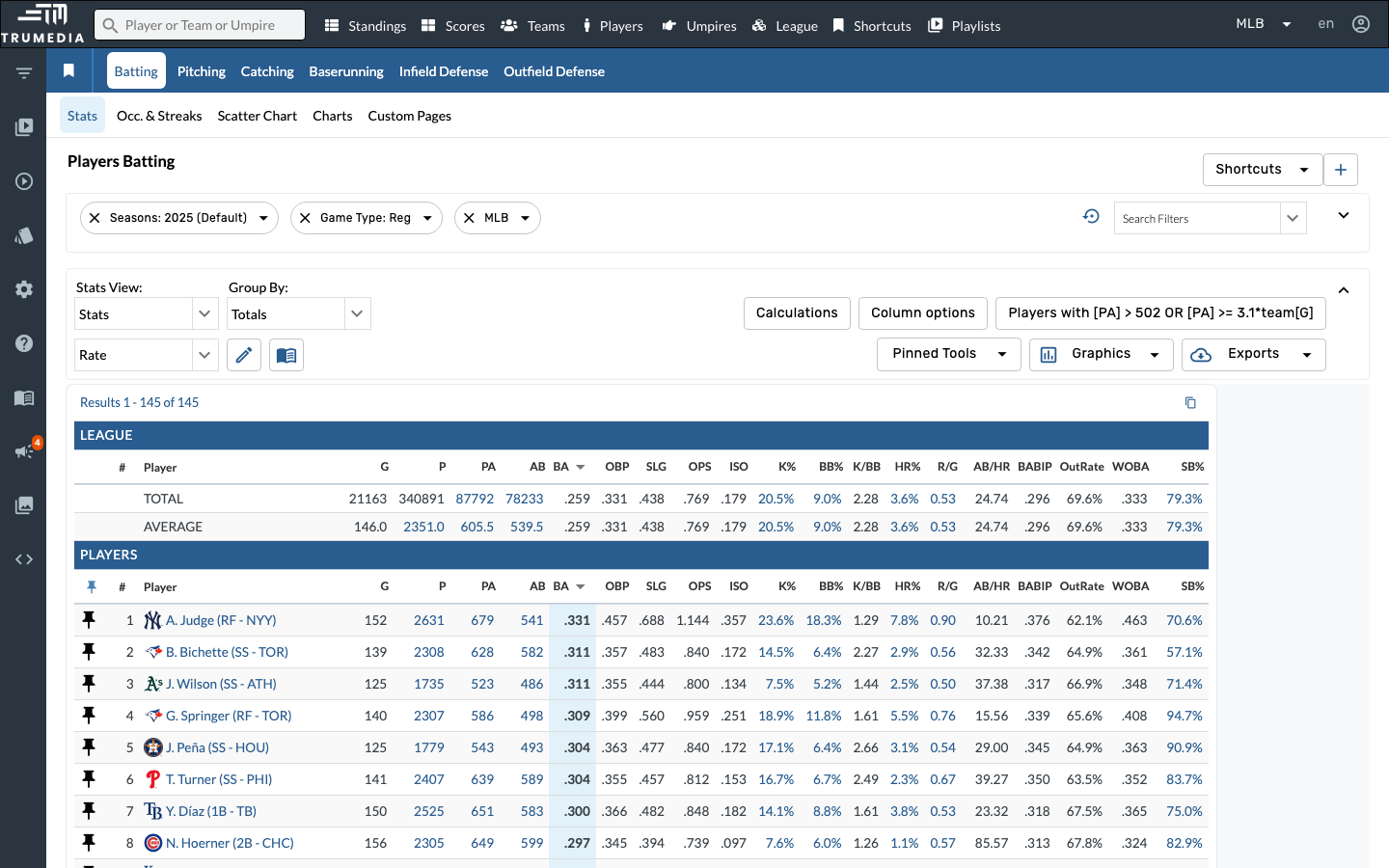
Step 2: Open the report editor
Click the pencil icon (edit) next to the report name in the toolbar. This opens the report editor where you can add, remove, and reorder stat columns.
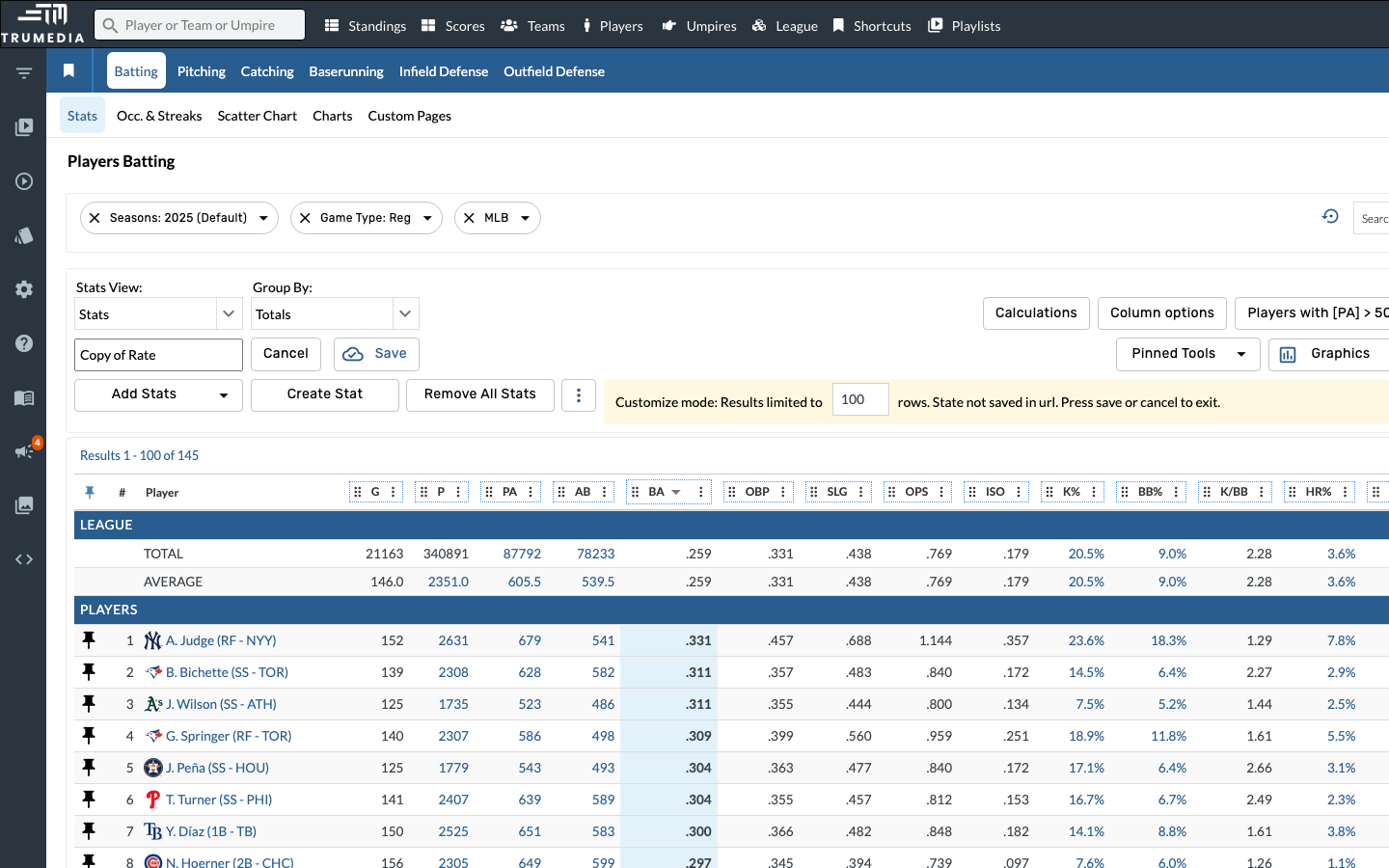
Key Takeaway
You're not limited to native stats on the leaderboard. By adding custom stats as columns and sorting by them, you can build leaderboards around any metric — whether it's a proprietary formula, a situational rate stat, or a composite score your organization uses internally.