Build a Year-over-Year Comparison
Compare a player's or team's key metrics across multiple seasons to track development, identify trends, or evaluate consistency.
Step 1: Navigate to a player's stats page
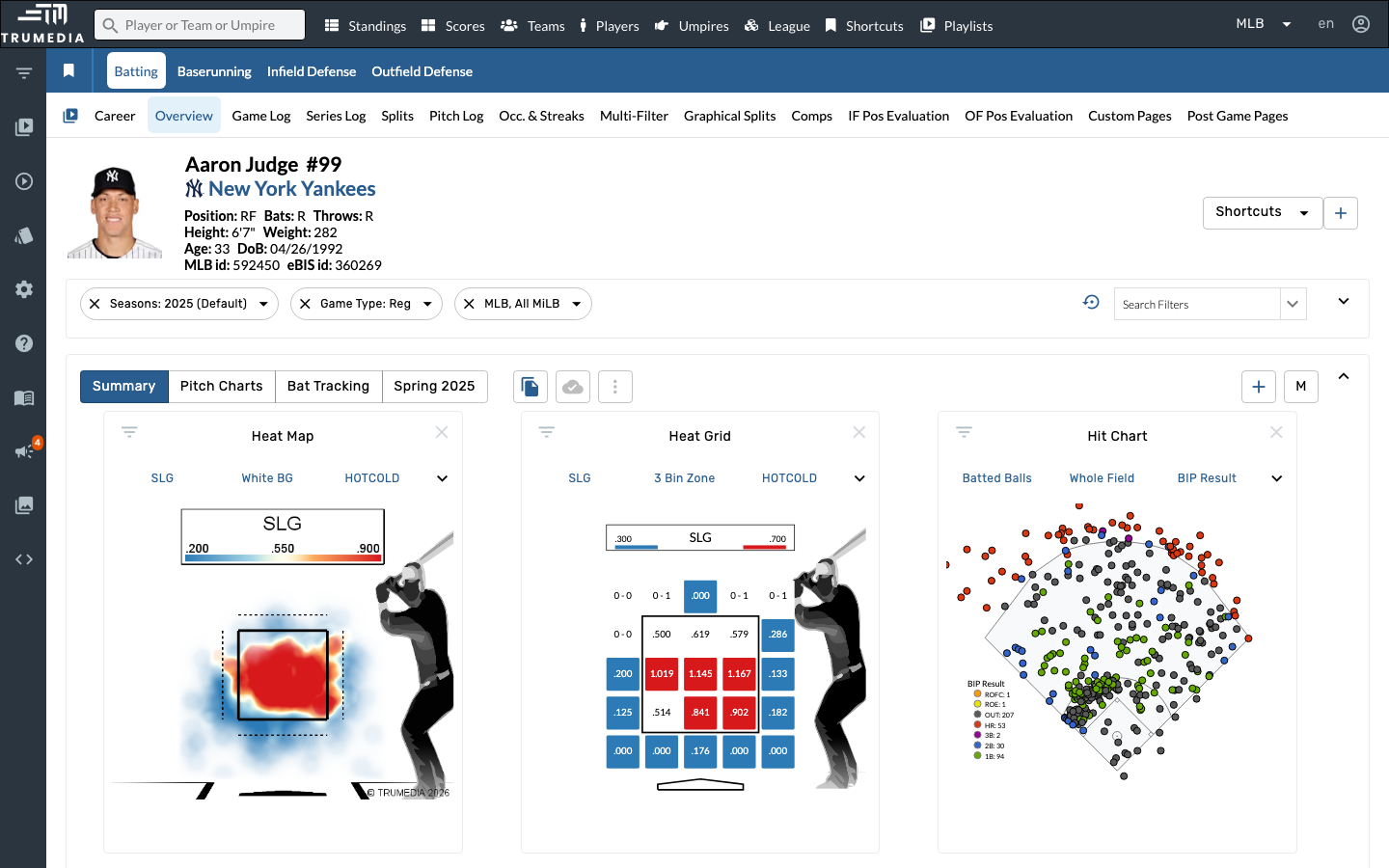
Go to a player's batting stats page. In this example, we'll look at Aaron Judge's career batting stats.
Step 2: Switch to the Career view
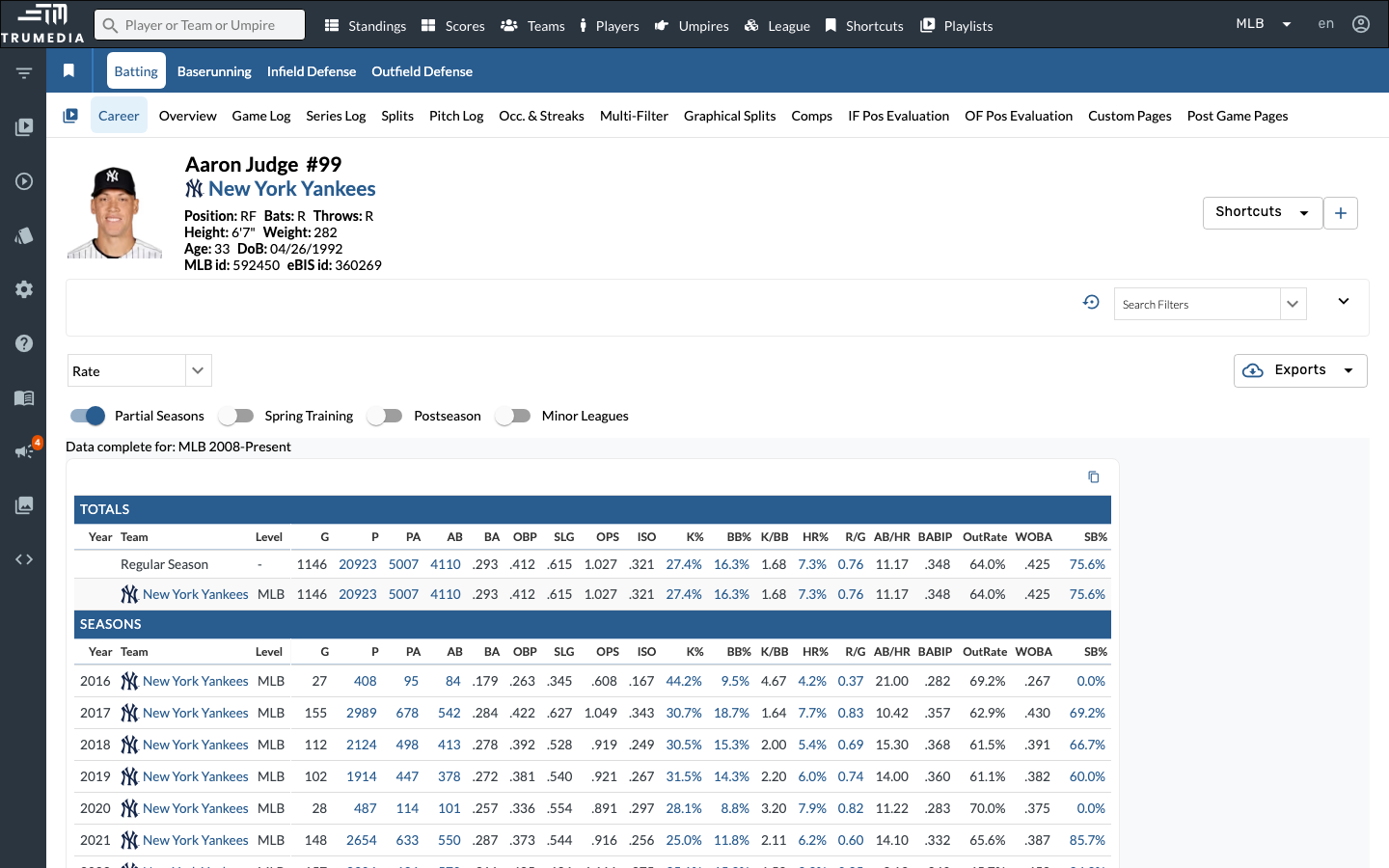
Click the Career tab in the sub-navigation. This shows the player's stats broken down by season, giving you a year-over-year view of their performance across their entire career.
Key Takeaway
Year-over-year comparisons are essential for player development, contract evaluation, and scouting. By grouping stats by season, you can instantly see how a player's performance has changed over time — whether velocity is trending up, strikeout rate is improving, or power numbers are declining.