Build a Situational Pitching Report
Use TruMedia's Splits view to analyze a pitcher's performance across different game situations. In this example, we'll examine Gerrit Cole's stats by base state — RISP, bases empty, runners on, and bases loaded — to see how he performs with runners on base.
Difficulty: Intermediate · Estimated time: 5–10 minutes
Prerequisites
- Access to the MLB demo site
- Familiarity with basic navigation (player pages, sub-navigation tabs)
What You'll Learn
- How to navigate to a pitcher's Splits tab
- How to read the full splits breakdown (venue, handedness, count, and more)
- How to find and interpret base-state splits (RISP, bases empty, runners on)
- How to use splits data for scouting and game-planning
Step 1: Navigate to a pitcher's stats page
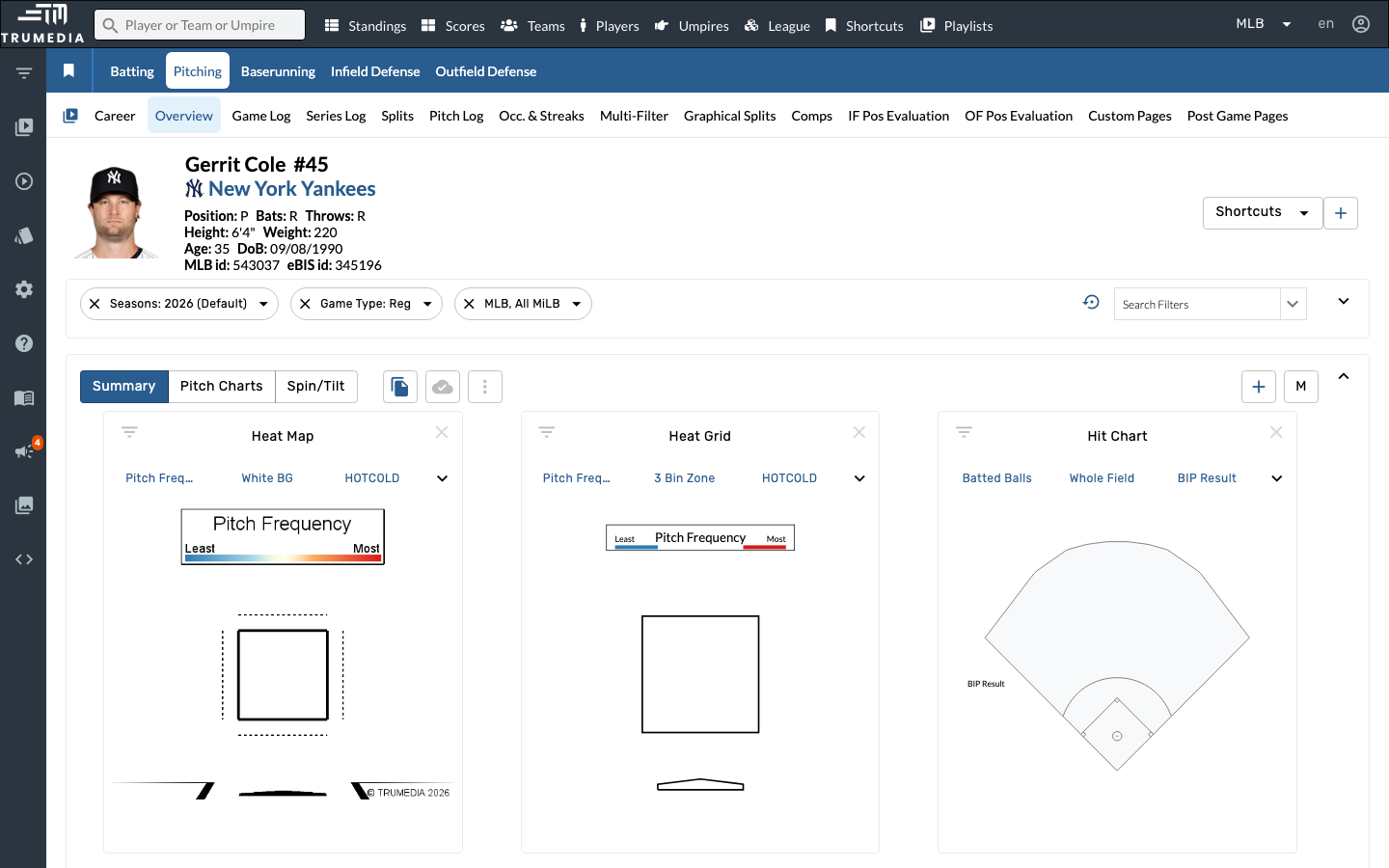
Go to a pitcher's individual stats page. In this example, we'll analyze Gerrit Cole's situational performance.
You can reach any pitcher's page by searching for their name using the search bar at the top of any page, or by clicking their name in a leaderboard or roster view.
Step 2: Open the Splits tab
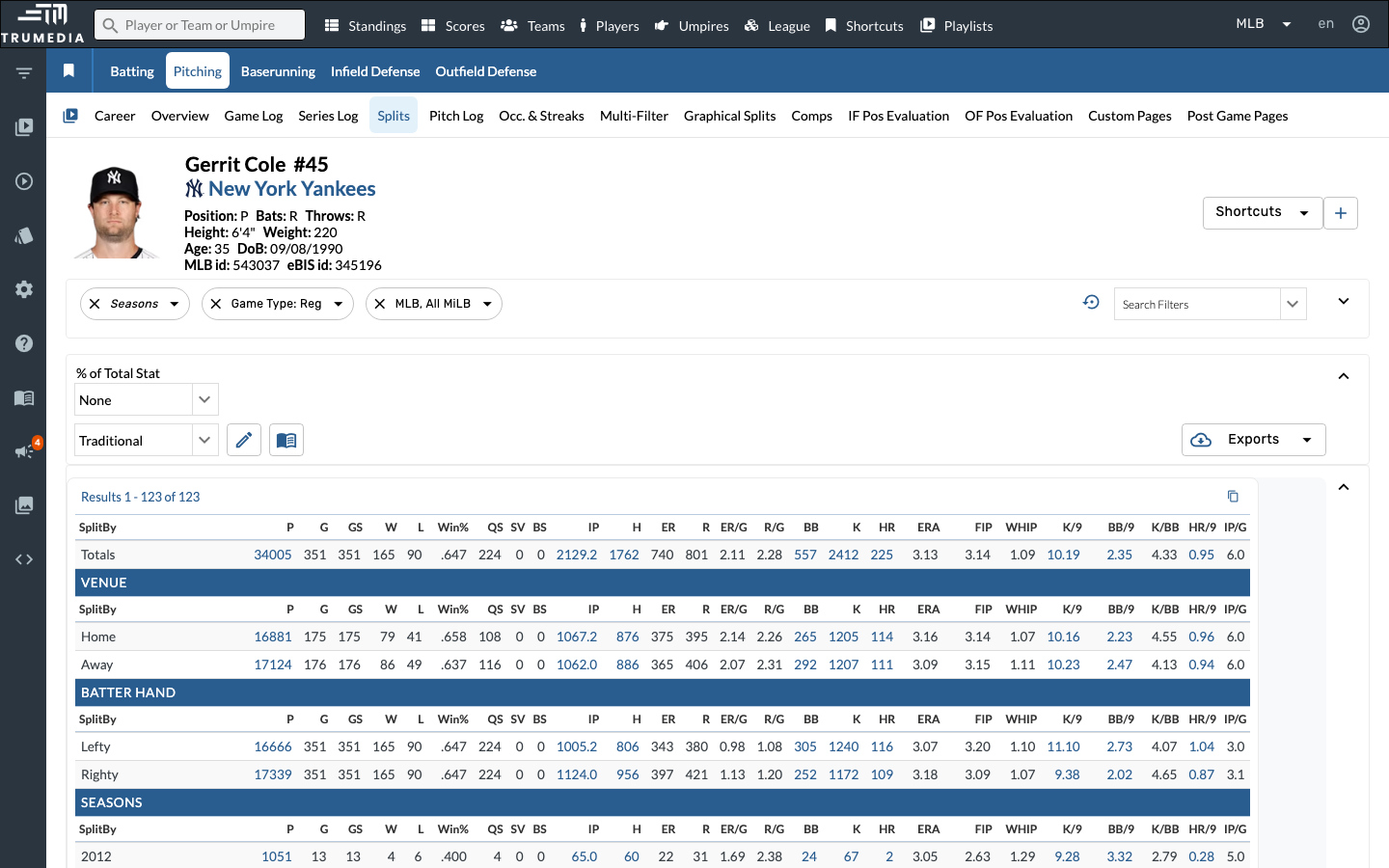
Click Splits in the player sub-navigation bar. The Splits view breaks down the pitcher's entire stat line across multiple dimensions — all displayed on a single scrollable page. At the top, you'll see the career totals, then sections for Venue (home vs. away), Batter Hand (vs. lefty vs. righty), and Seasons.
The Splits tab shows a complete stat line (P, G, GS, W, L, ERA, WHIP, K/9, BB/9, and more) for every category within each split dimension — making it easy to compare performance across game contexts at a glance.
Step 3: Scroll down to the Men On section
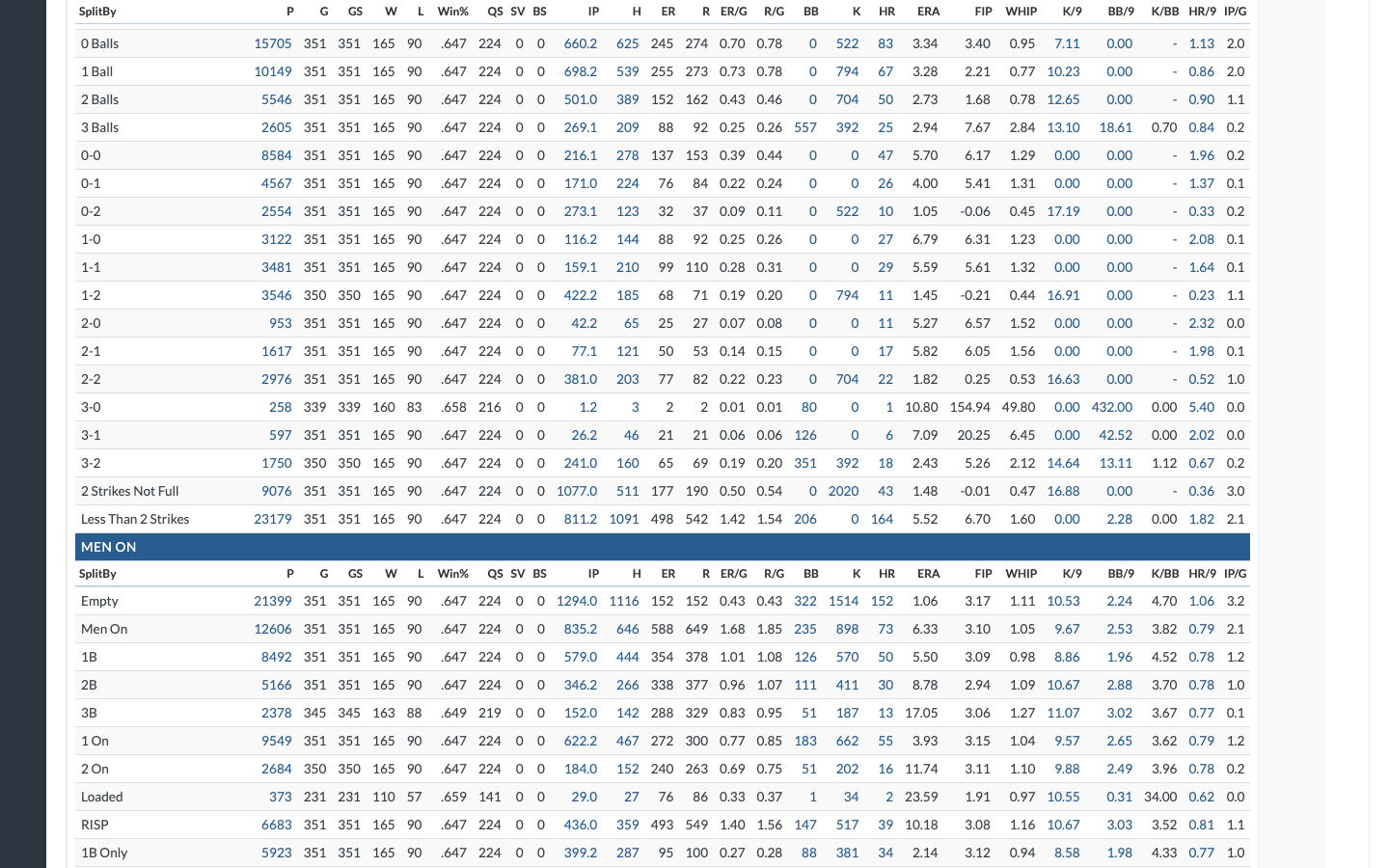
Scroll down past the Count splits to find the Men On section. This is where you'll find the base-state breakdowns that are essential for situational analysis.
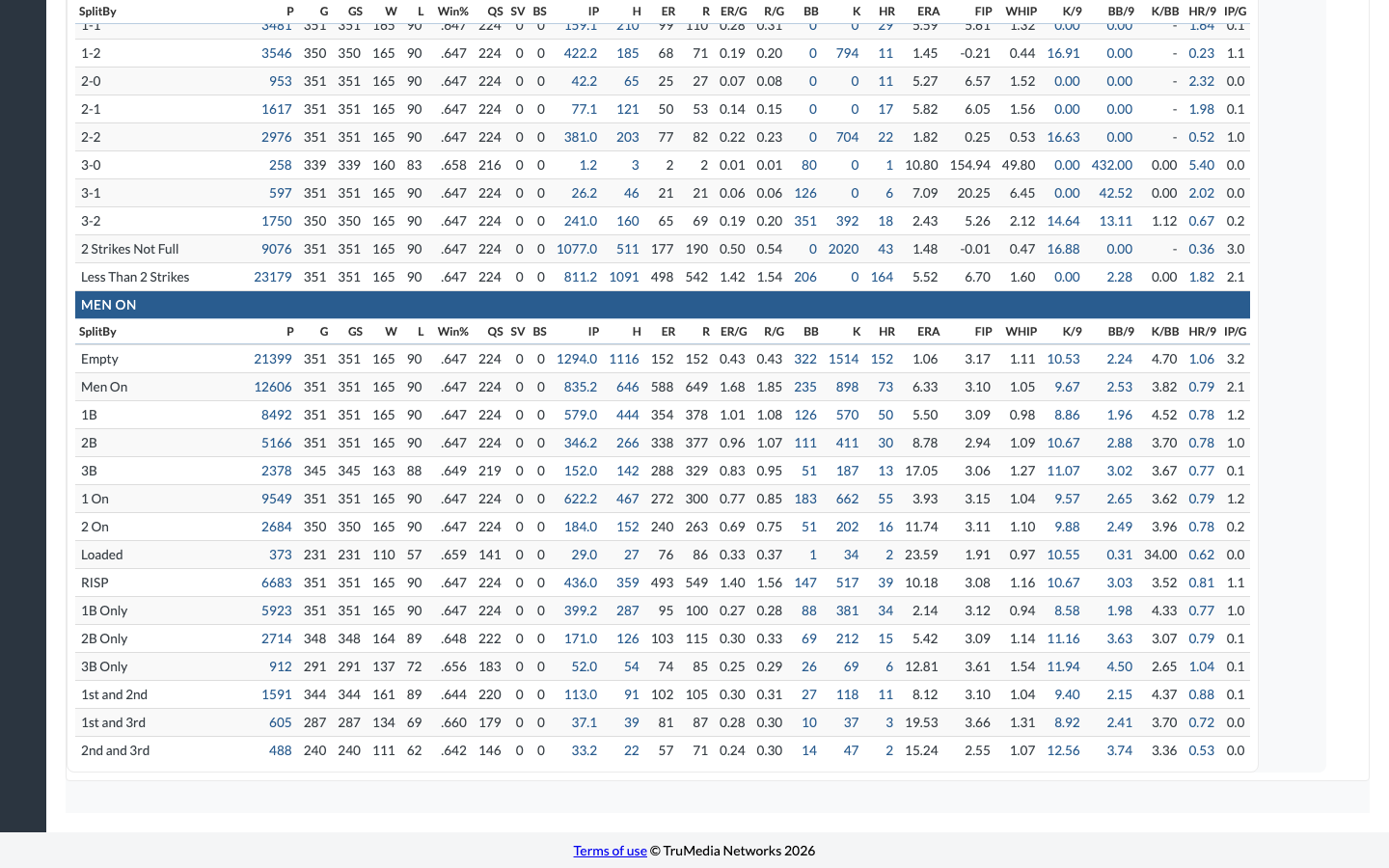
The Men On section includes rows for every base-state combination: Empty, Men On, 1B, 2B, 3B, 1 On, 2 On, Loaded, RISP, and specific configurations like 1B Only, 1st and 2nd, 1st and 3rd, and 2nd and 3rd.
The Splits page is long — it includes Venue, Batter Hand, Seasons, Month, Day/Night, Inning, Pitch Type, Batted Ball, Zone Location, Count, and Men On sections. Use your browser's find (Ctrl+F / Cmd+F) to jump directly to a section heading.
Step 4: Review base-state splits for scouting insights
Now you can compare the pitcher's full stat line across base states. Focus on these key rows for a situational pitching report:
- Empty vs. Men On: Does the pitcher's ERA rise with runners on? A big gap suggests he may struggle from the stretch.
- RISP: How does he perform with runners in scoring position? This is the highest-pressure base state.
- Loaded: Bases-loaded stats are a small sample but reveal how a pitcher handles maximum stress.
- 1 On vs. 2 On: Does performance degrade as more runners reach base?
Look beyond ERA — check WHIP, K/9, and BB/9 across splits. A pitcher whose strikeout rate drops and walk rate rises with men on may be tipping pitches or losing command under pressure.
Key Takeaway
The Splits tab gives you a complete situational breakdown of a pitcher's performance on a single scrollable page. By comparing stats across base states — empty, men on, RISP, loaded — you can identify whether a pitcher elevates or struggles with runners on base. This context is essential for bullpen management, game-planning, and scouting reports.
Next Steps
- Try filtering data by game situation to apply base-state filters to other views like the Pitch Log or Game Log
- Use custom pages to build a reusable dashboard that includes a Splits Table component
- Build a year-over-year comparison to see how situational performance changes season to season