Analyze Platoon Splits
Use TruMedia's Splits tab to compare a player's performance against left-handed and right-handed opponents. In this example, we'll analyze Aaron Judge's batting splits by pitcher handedness to see how he performs vs. LHP and RHP.
Difficulty: Beginner · Estimated time: 2–5 minutes
Step 1: Navigate to a player's stats page
Go to a player's individual batting stats page. In this example, we'll look at Aaron Judge's platoon splits.
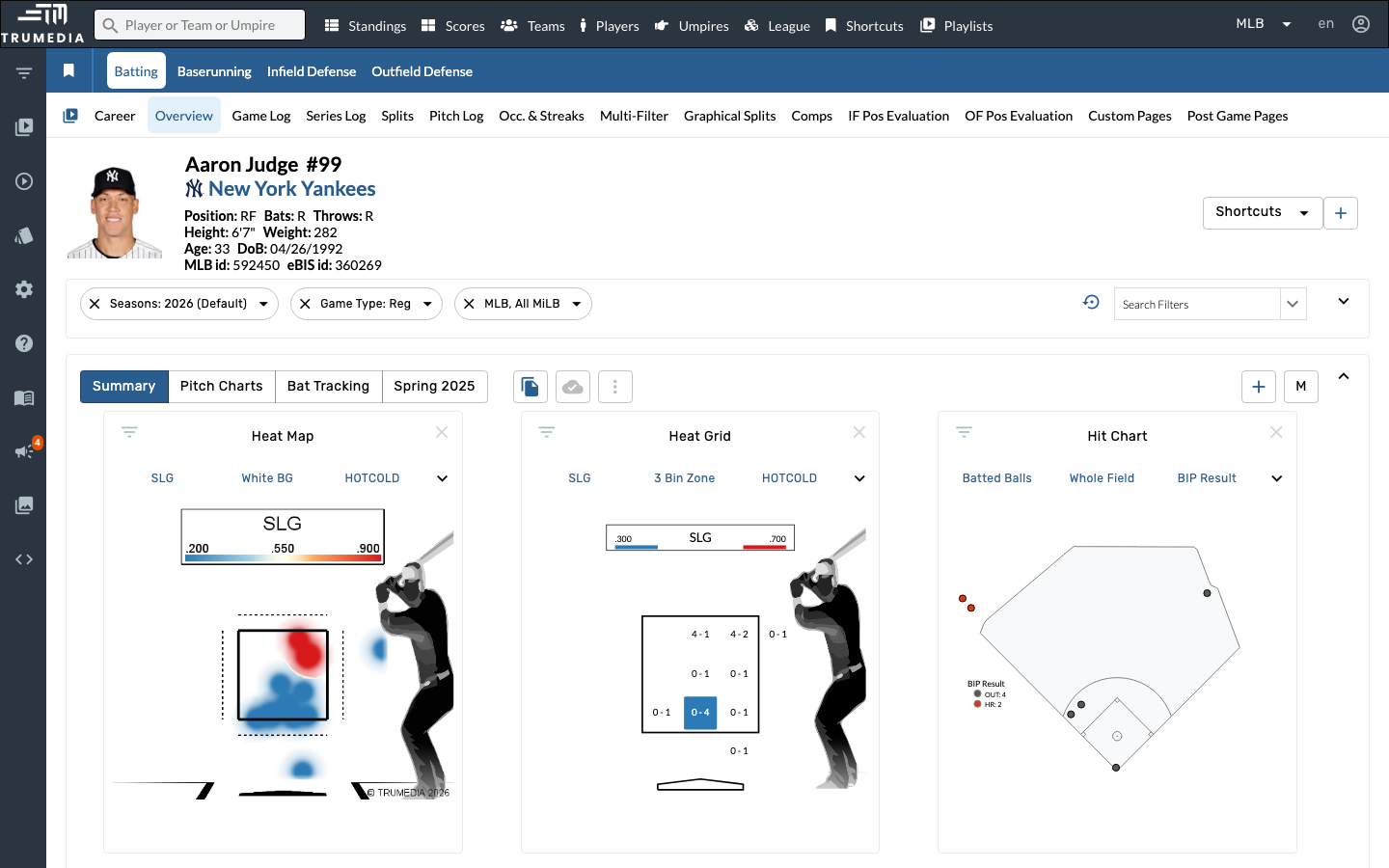
Step 2: Open the Splits tab
Click the Splits tab in the player sub-navigation. The Splits view breaks down the player's stats across multiple dimensions — Venue, Pitcher Hand, Month, Day/Night, Inning, and more — all displayed in a single scrollable page.
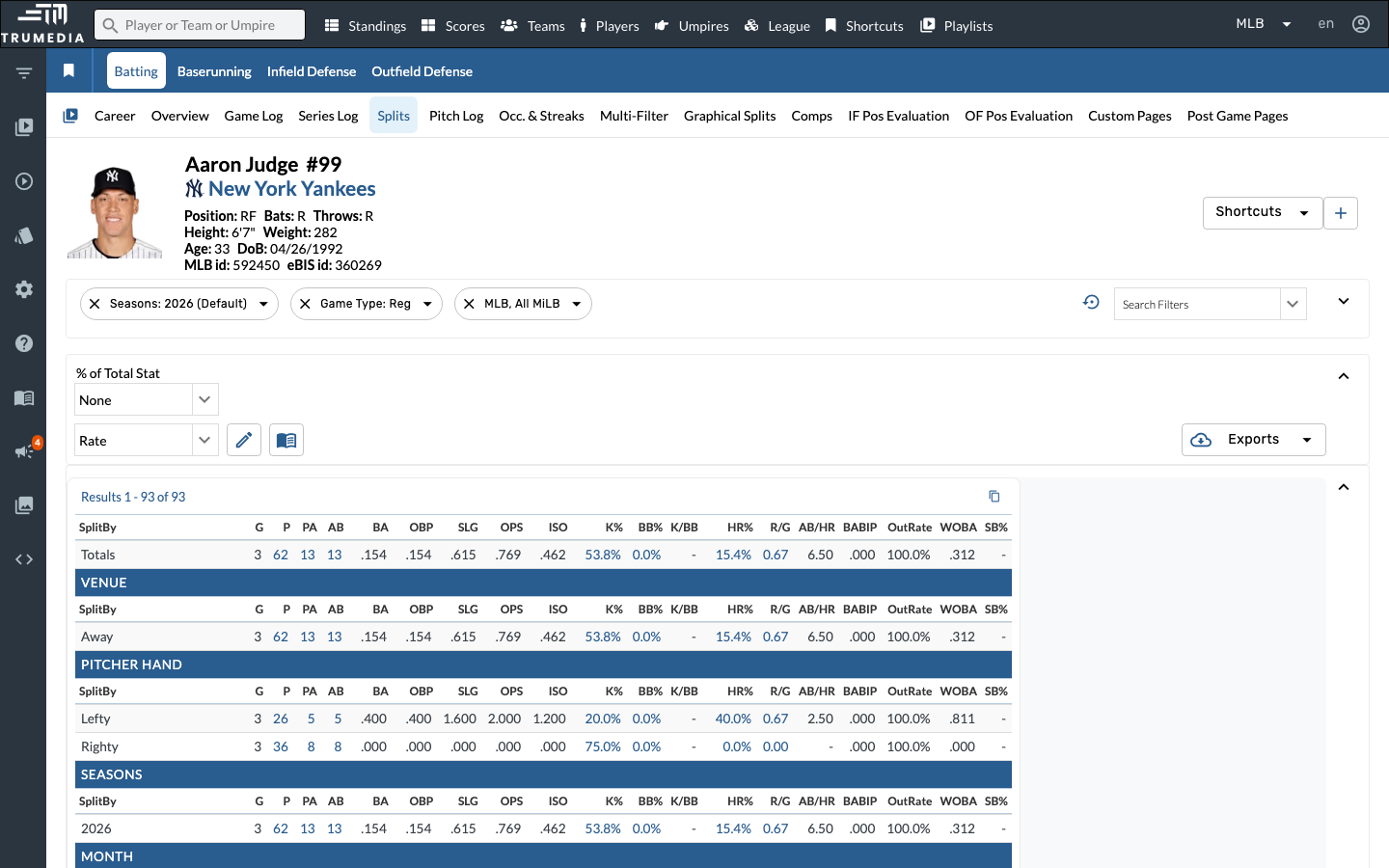
Step 3: Find the Pitcher Hand split
Scroll down to the Pitcher Hand section. This shows separate stat lines for at-bats against left-handed pitchers (Lefty) and right-handed pitchers (Righty).
Compare key rate stats like BA, OBP, SLG, and OPS across the two rows to identify any platoon advantage.
Right-handed hitters like Judge typically face more right-handed pitching. Check the PA column to see sample size — a small split in limited plate appearances may not be meaningful.
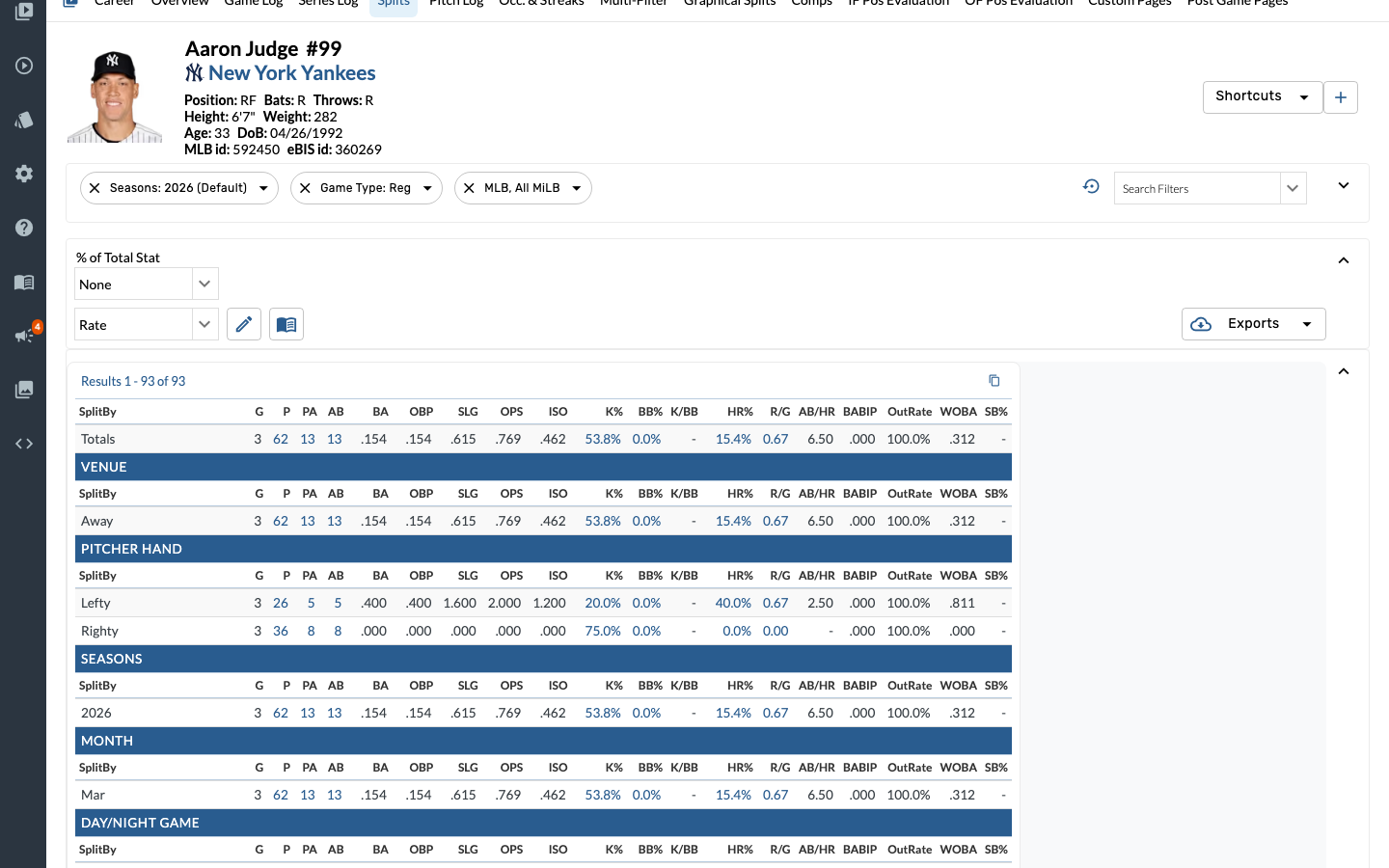
Key Takeaway
Platoon splits reveal how a player performs against left-handed vs. right-handed opponents. These splits are essential for lineup construction, bullpen matchup decisions, and scouting reports. A hitter with a large platoon split may be a candidate for platoon usage, while balanced splits signal an everyday player. The same Splits tab is available on pitcher pages, where the Batter Hand section shows how a pitcher performs against LHB and RHB — useful for determining which reliever to bring in for a key at-bat.