Pitcher Role Leaderboards
Compare how teams in a conference rank by ERA for starters versus relievers. In this example, we'll filter the D1 team pitching leaderboard to the Southeastern Conference and look at each role separately.
Difficulty: Beginner · Estimated time: 3–5 minutes
What You'll Learn
- How to add Pitcher Role and Current Team Conference filters
- How to sort by ERA to rank teams within a conference
- How to switch between Starter and Reliever to compare both sides of a pitching staff
Step 1: Navigate to the Teams Pitching stats page
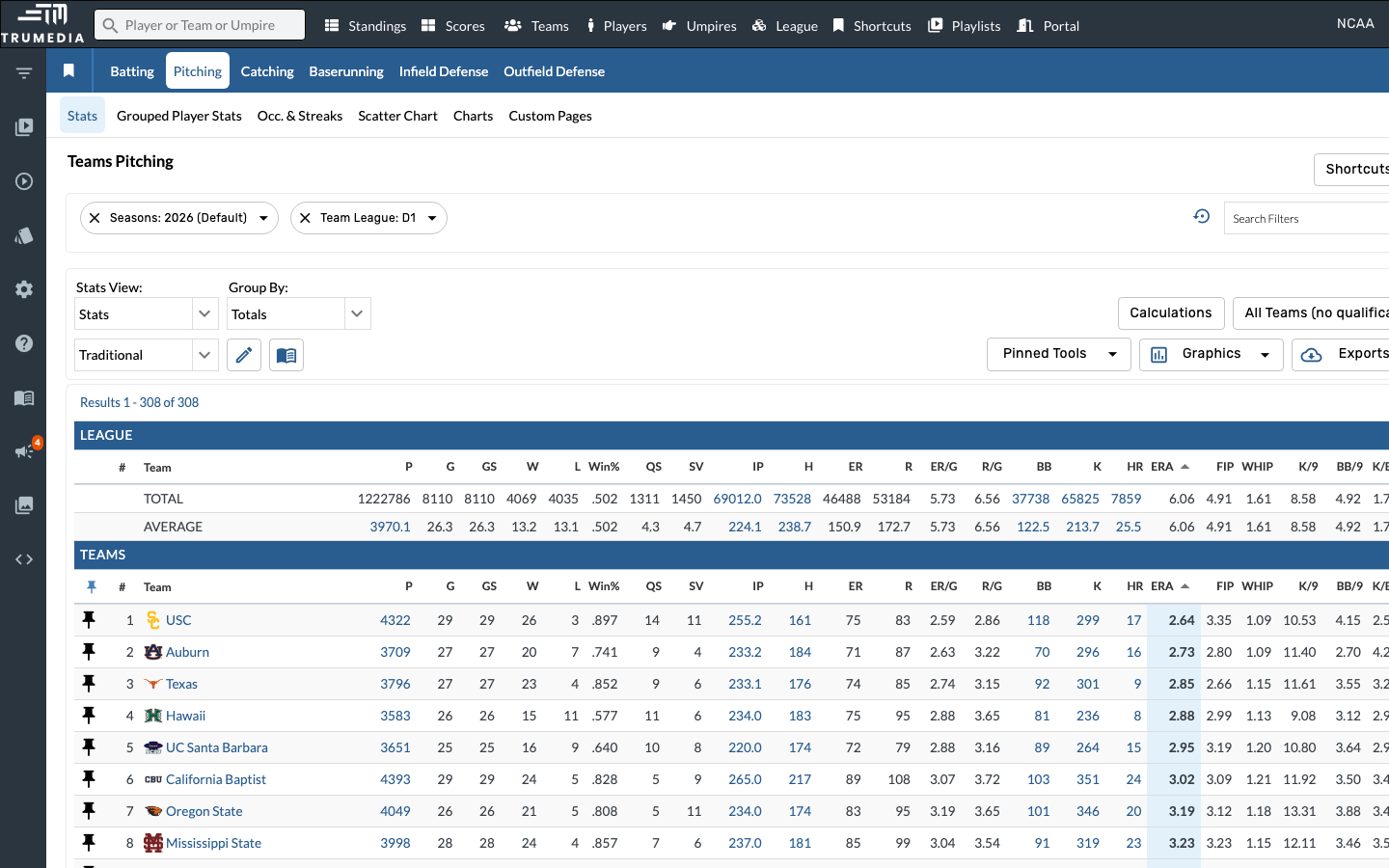
Click Teams in the top navigation, then select the Pitching tab. The default view shows all D1 teams for the current season.
You can sort by any column header — ERA, FIP, WHIP, K/9, BB/9, and more.
Step 2: Open the Search Filters panel
Click Search Filters on the right side of the filter bar. We'll add two filters: Pitcher Role and Current Team Conference.
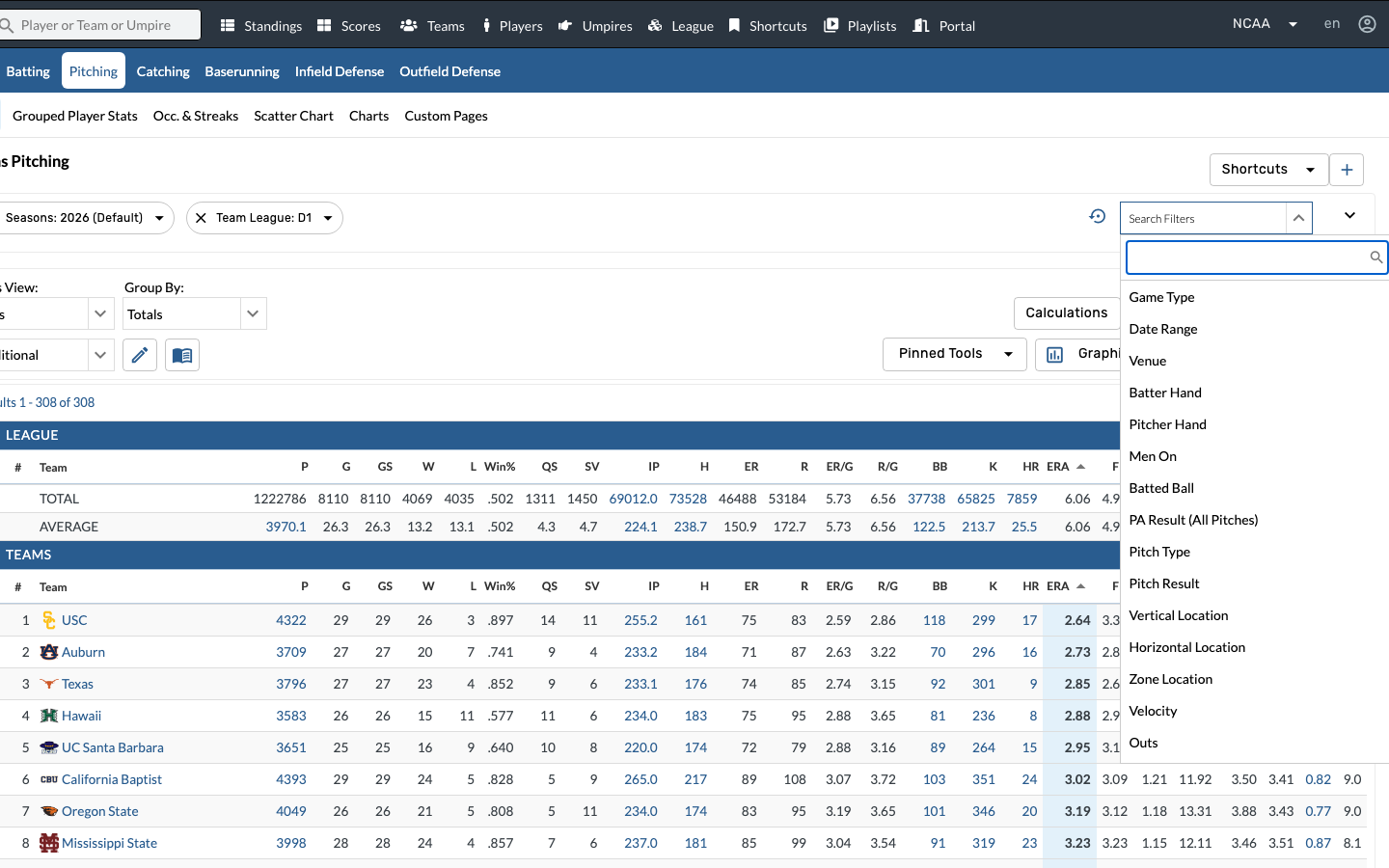
Step 3: Add the Pitcher Role filter
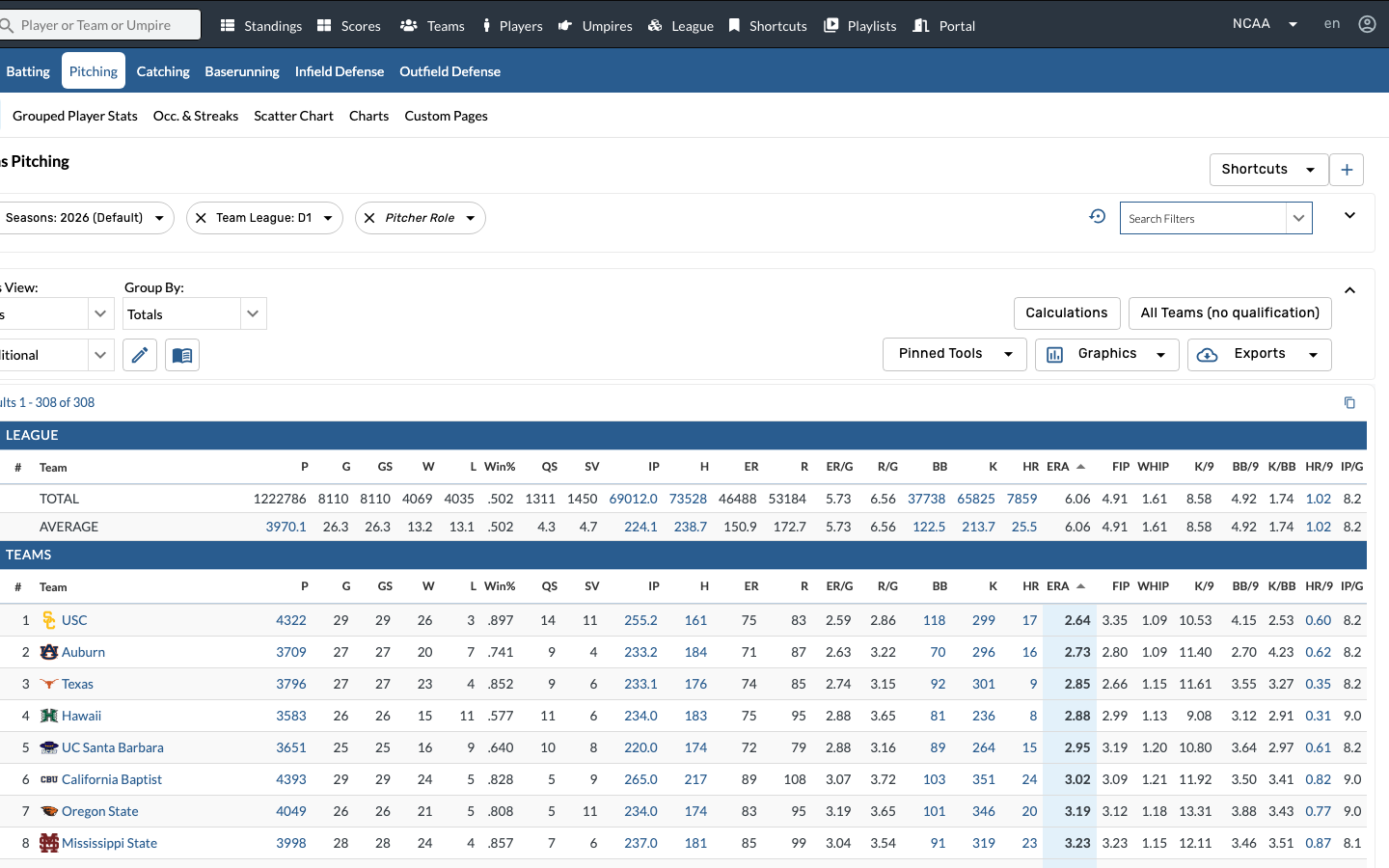
Click Pitcher Role in the filter list to add it as a chip. This lets you choose between Starter and Reliever.
The Pitcher Role filter is especially useful in NCAA baseball where the gap between a team's rotation and bullpen can be dramatic — filtering by role isolates each side of the staff.
Step 4: Search for the Conference filter
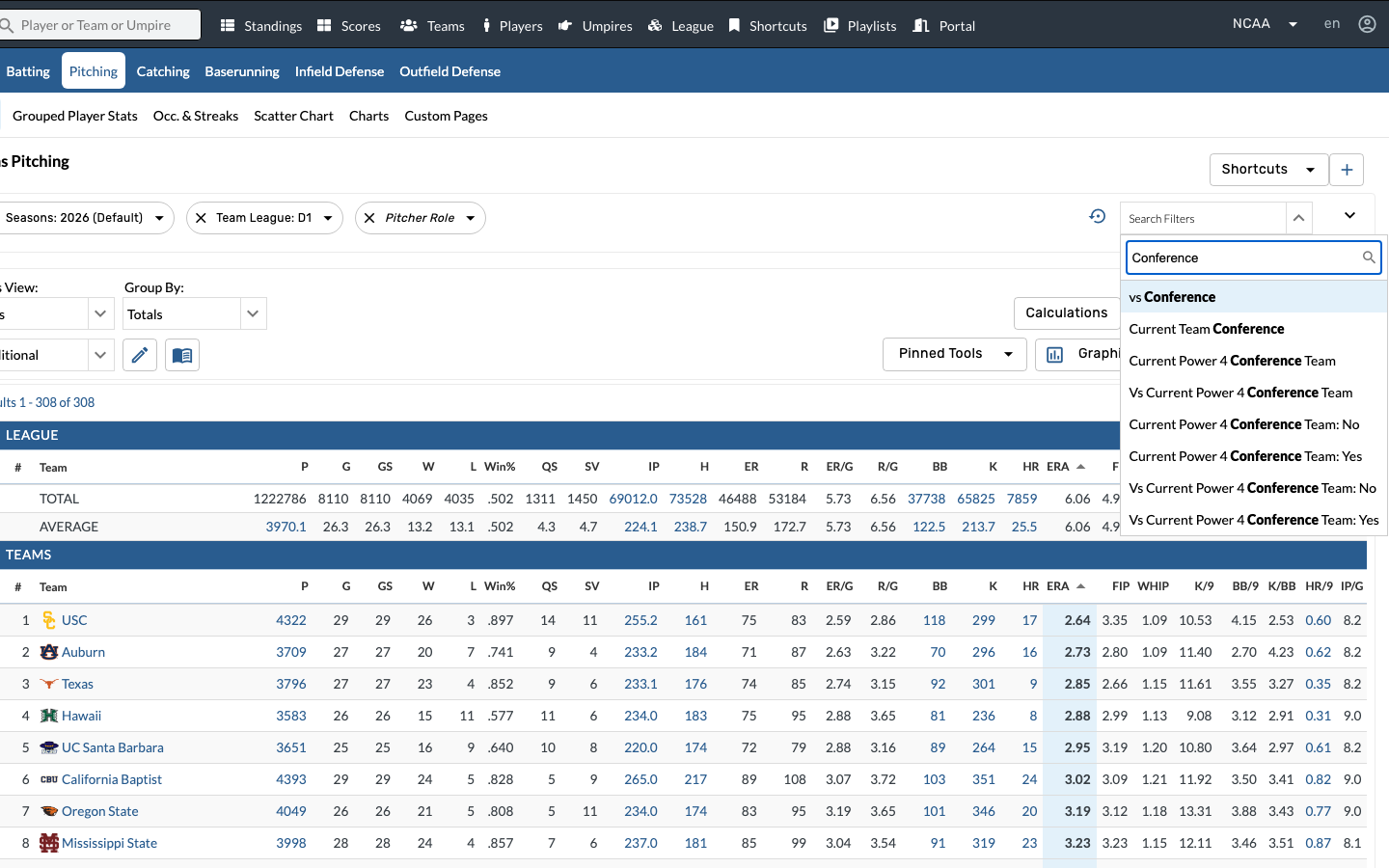
Type Conference in the filter panel's search box to find it quickly. Click Current Team Conference to add it.
- Current Team Conference — the team's own conference (this is what we want)
- vs Conference — the opponent's conference
- Current Power 4 Team Conference — Power 4 grouping
Use the search box — the NCAA baseball filter list is very long and scrolling to find a specific filter takes time.
Step 5: Filter to SEC Starters
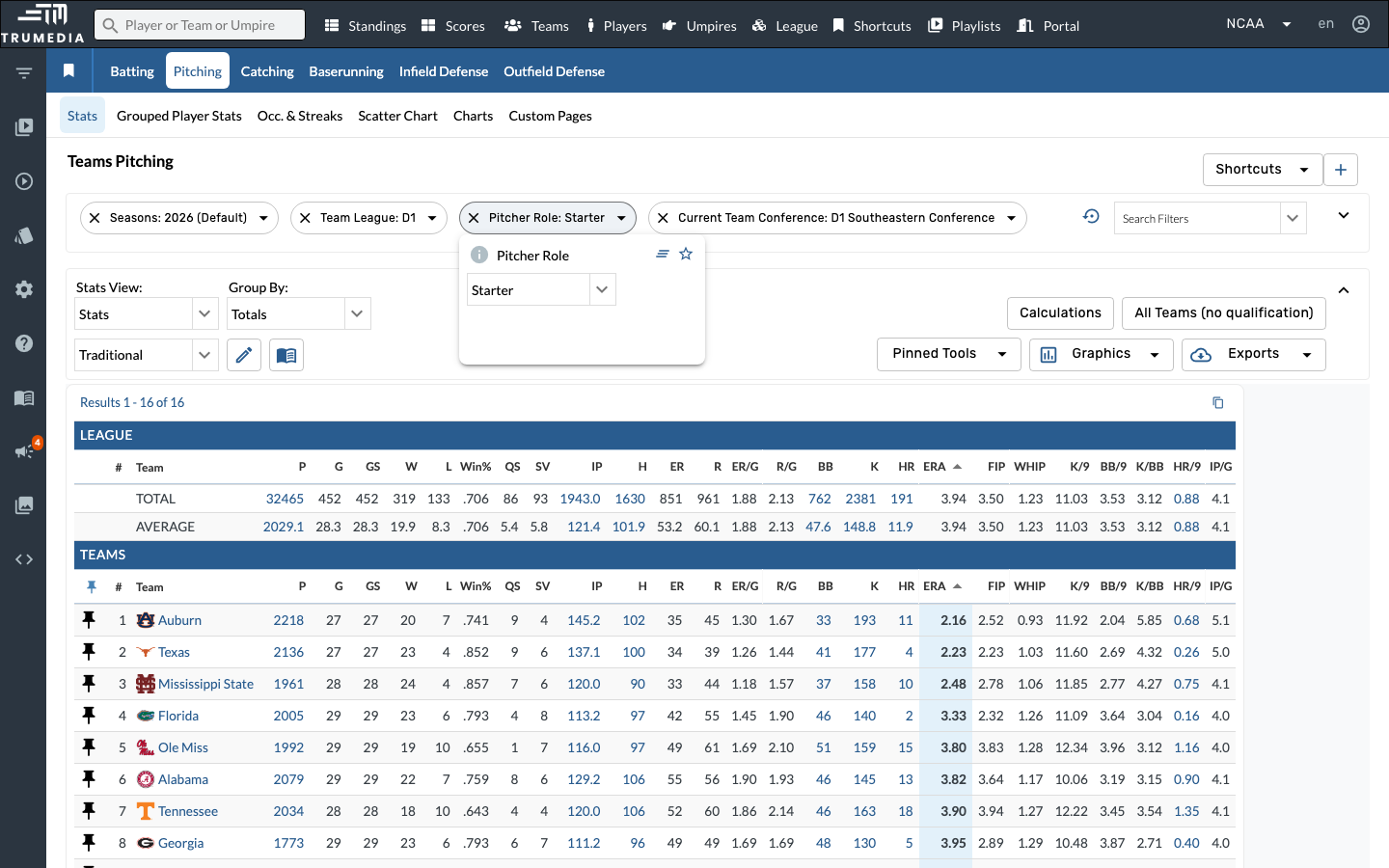
Set Current Team Conference to D1 Southeastern Conference and Pitcher Role to Starter. The leaderboard reloads to show only SEC teams with starter-only pitching stats.
- Click the Current Team Conference dropdown and select D1 Southeastern Conference
- Click the Pitcher Role dropdown and select Starter
Step 6: Sort by ERA
Click the ERA column header to sort ascending — best starters at the top.
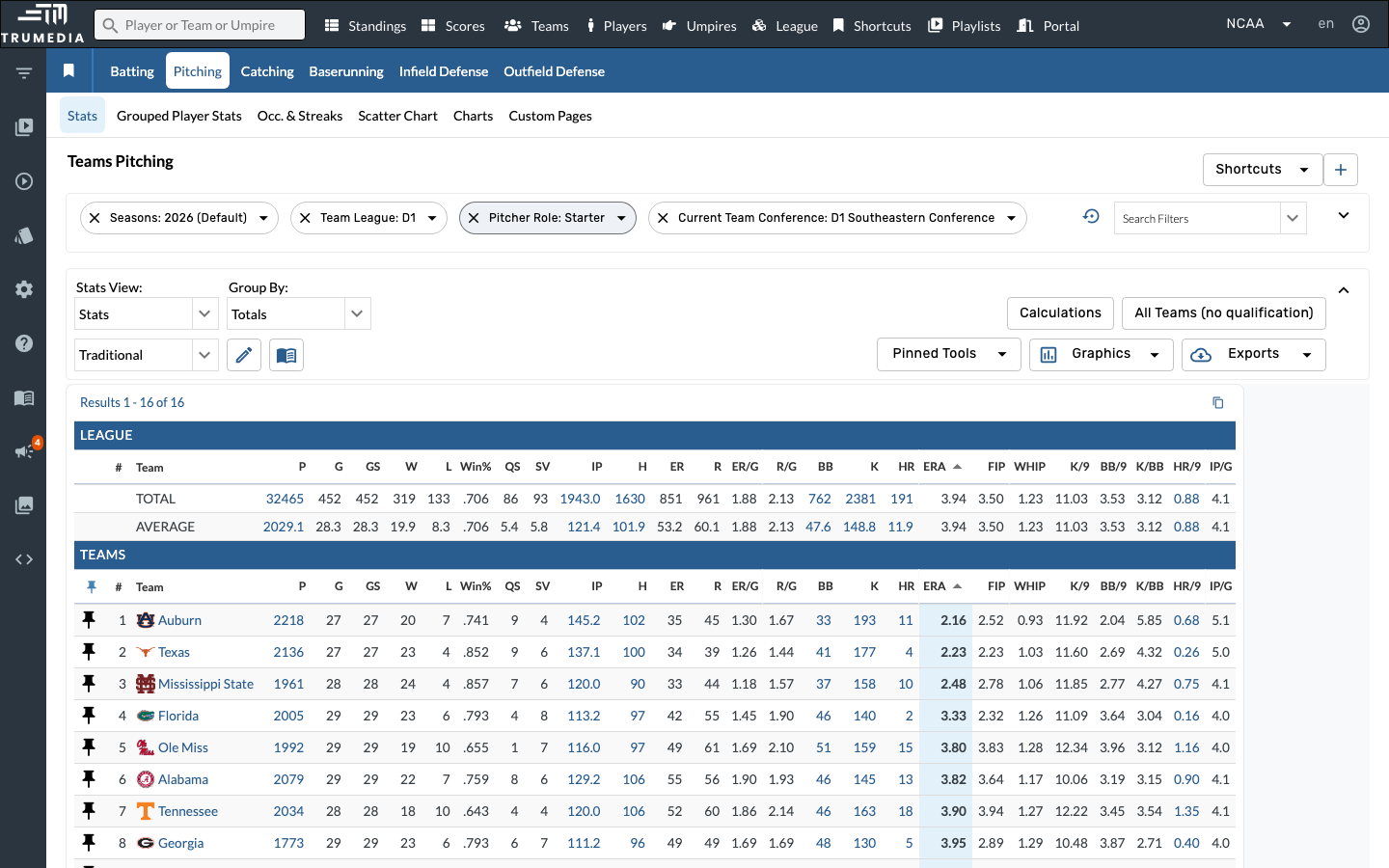
Step 7: Switch to SEC Relievers
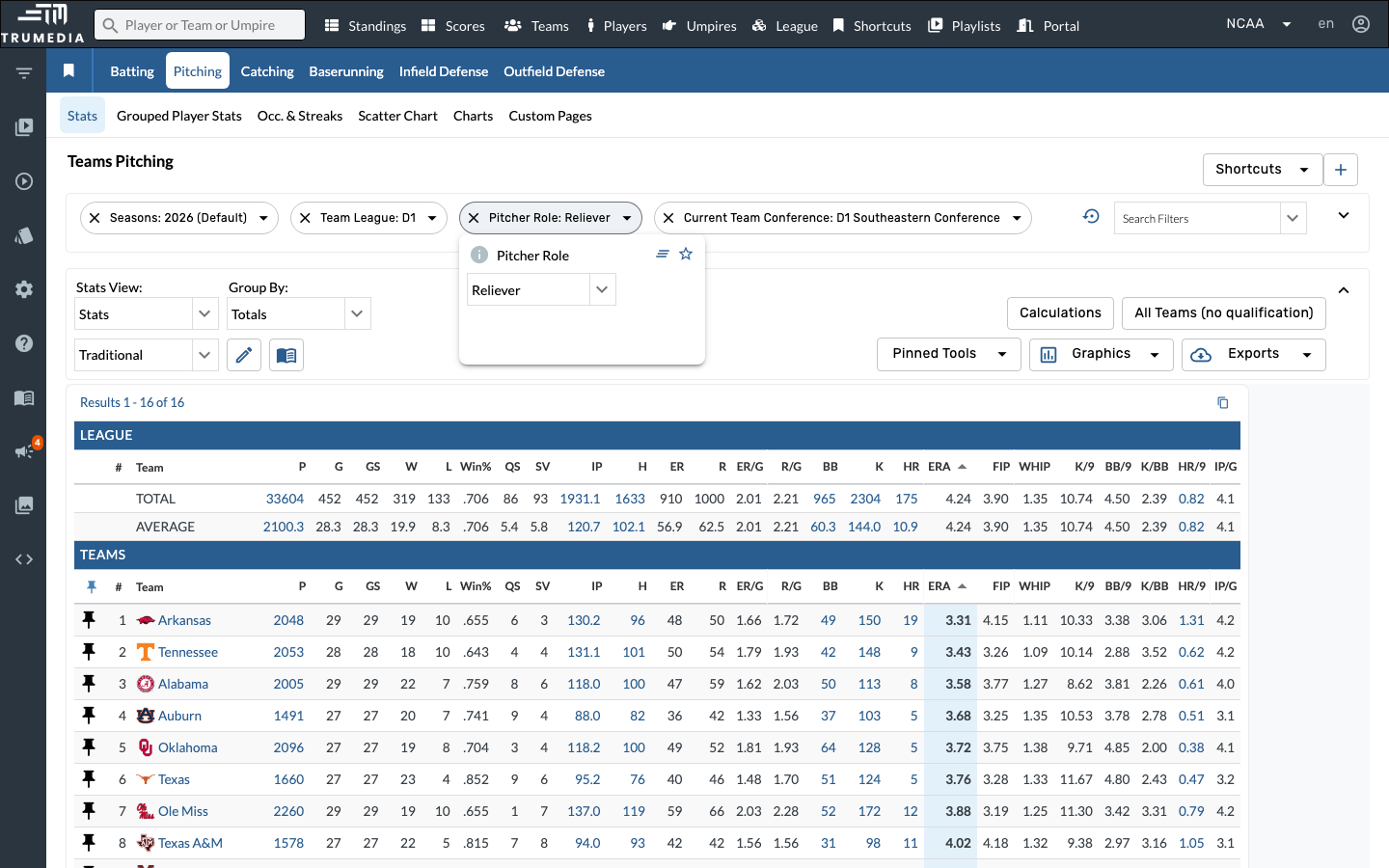
Change the Pitcher Role dropdown from Starter to Reliever. The conference filter stays applied — only the role changes. Compare the reliever rankings to the starter rankings: teams that rank well in both have a complete staff, while a big gap between the two may signal a vulnerability.
You can toggle between Starter and Reliever at any time — the conference filter stays applied, making it easy to flip back and forth.
Key Takeaway
Combining pitcher role and conference filters gives you a focused view of how teams stack up on each side of the pitching staff. Sorting by ERA (or any other stat) within a conference is a quick way to identify strengths, weaknesses, and matchup advantages for series prep.