It is helpful to use two videos from the same ballpark and camera angle.
Overlay View Mode
-
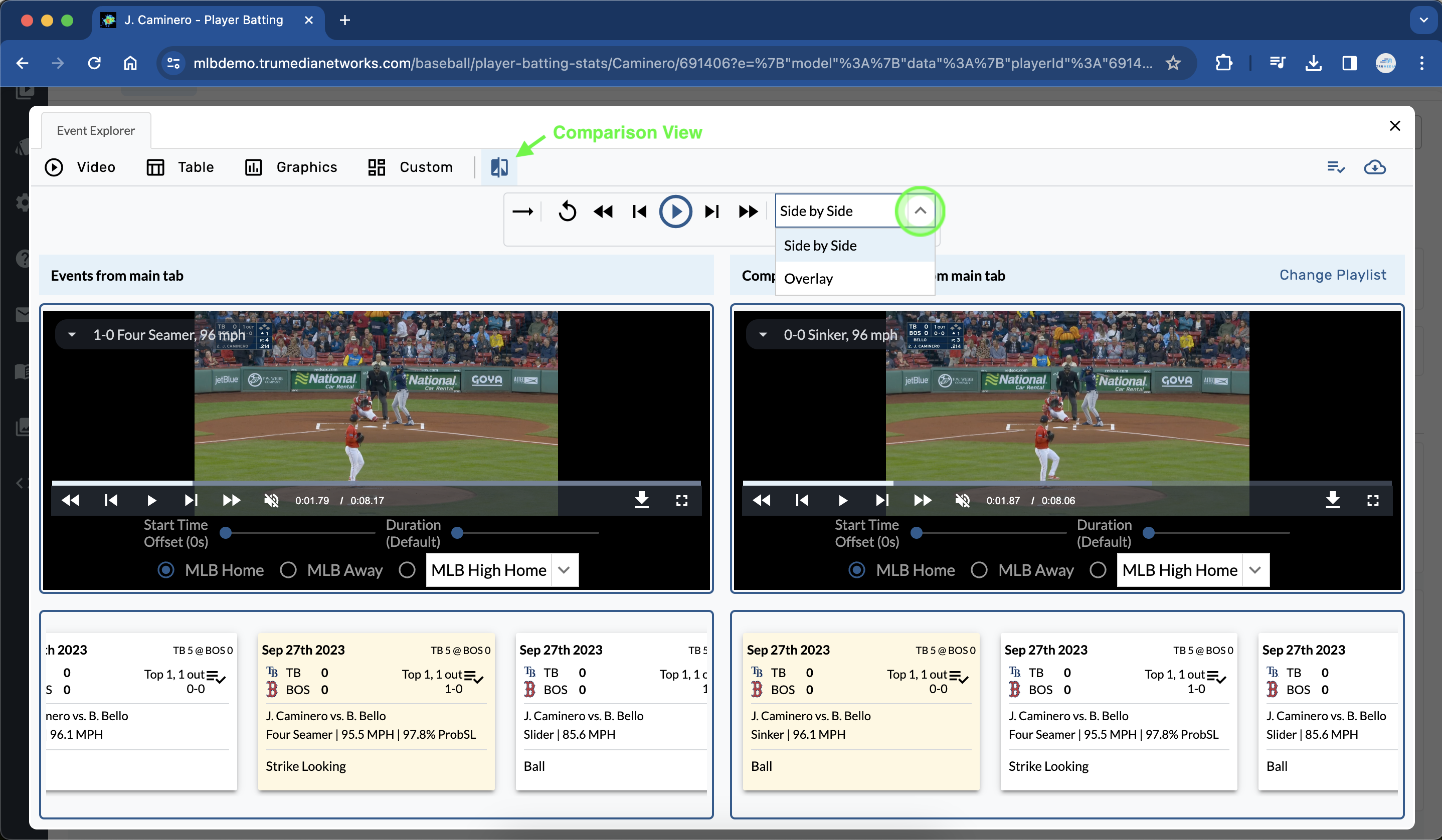
Open the Video Player > Comparison View.
-
Choose videos from the summary bar.
-
Select View Mode > Overlay.
Overlay Tools
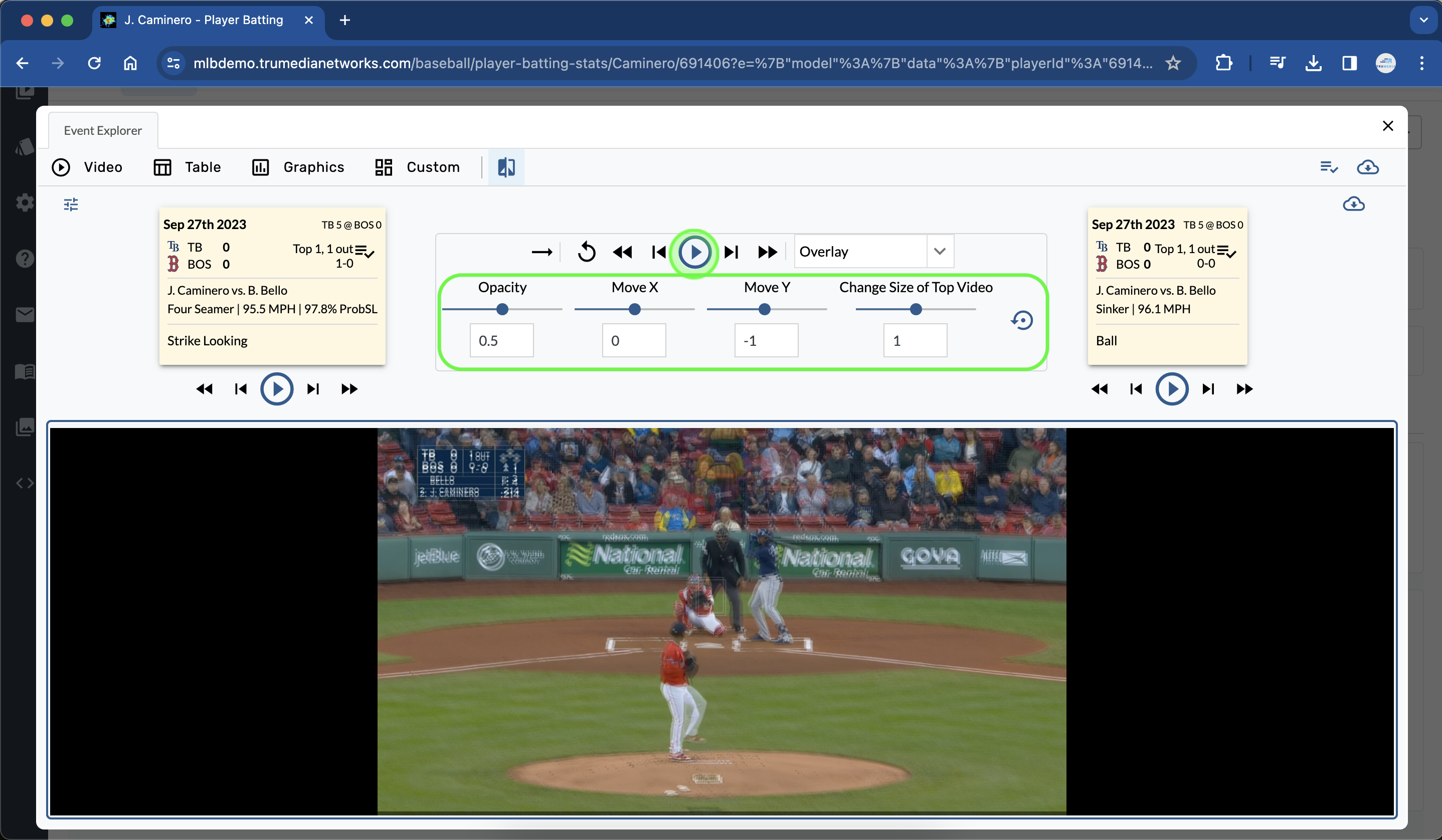
Use the a few overlay tools to adjust the opacity, alignment, and size of the two videos.
-
Expand the overlay tools.
-
Set the Opacity to 0.50.
-
If necessary, align the videos using the Move X, Move Y and Change Size of Top Video options.
-
Sync up the two videos with the individual video controls under the info tiles.
Contact Us
Email the Support Team
Newsletter + Feature Request